Projects
AI Video Enhancer
A prototype app to raise the resolution and frame rate of videos with AI, with a job queue and a live dashboard.
Download for Windows ↗Code on GitHub ↗
193 MB installer for 64-bit Windows, not code-signed: Windows may show a warning. It needs an NVIDIA GPU, Video2X 6.4.0 in C:\tools\video2x and ffmpeg on the PATH.
What it does
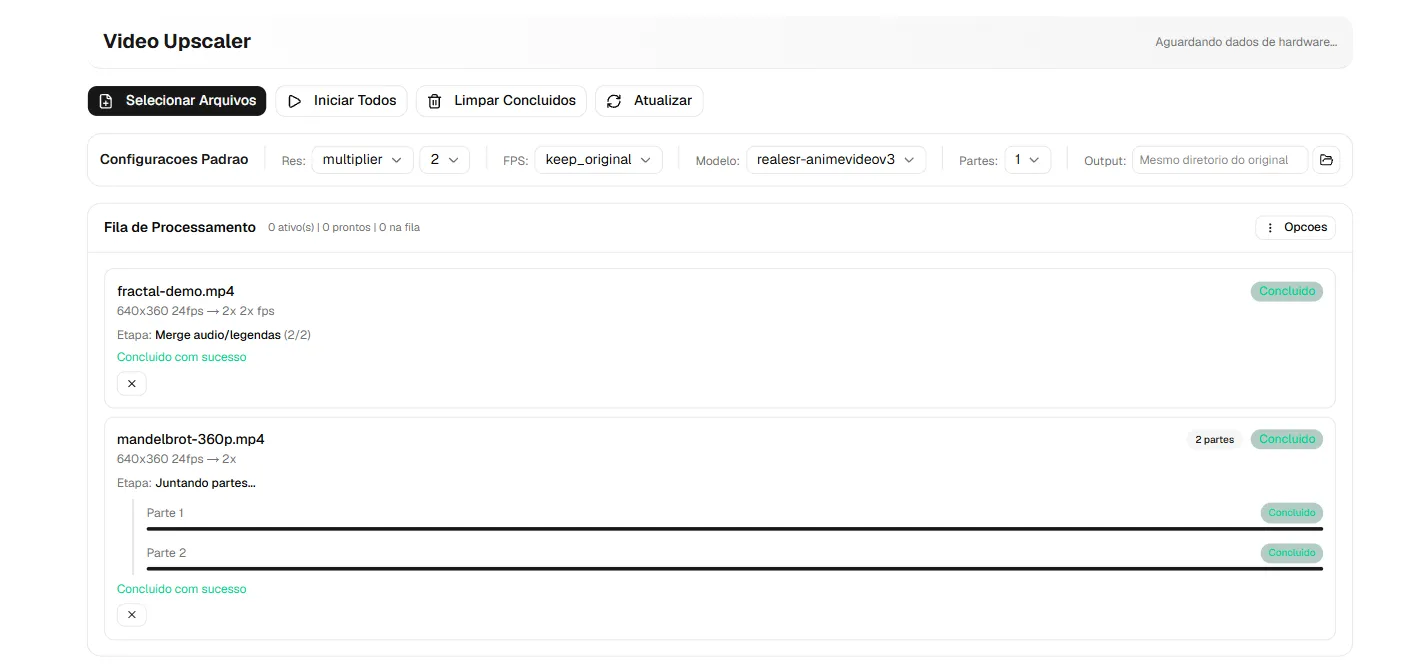
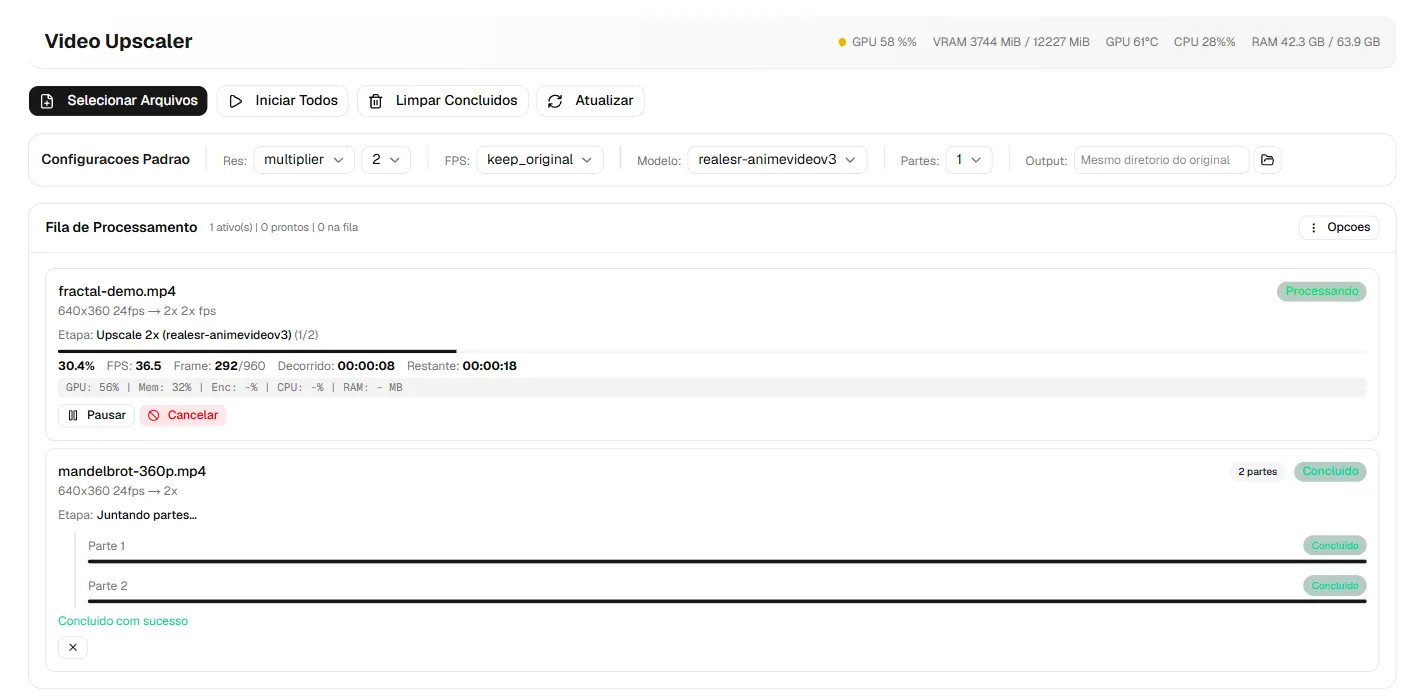
AI Video Enhancer puts a queue and a dashboard on top of Video2X, a command-line tool that uses the Real-ESRGAN and RIFE models. You pick the videos, set the resolution, frame rate and model for each one, and follow progress, speed, logs and GPU usage. The final file keeps the original audio. It is a personal prototype for Windows with an NVIDIA GPU.
- Upscaling with Real-ESRGAN, by multiplier, preset or custom size.
- Frame interpolation with RIFE to raise the frame rate.
- A queue with several videos, per-job settings and batch start.
- Splitting a video into up to 4 parts, processed at the same time and rejoined at the end.
- Live progress, fps, time remaining, logs and GPU usage.
How it is built
Orchestrating external processes
The Next.js API runs Video2X, ffmpeg, ffprobe and nvidia-smi as child processes, reads their output and pushes state to the screen with Server-Sent Events.
Chained steps per job
Each job becomes a sequence: upscaling, interpolation and merging the original audio and subtitles. A failure stops the sequence and shows on screen and in the log.
Exact splitting into parts
Cutting by stream copy only lands on keyframes and repeated frames: a 5 s clip came out at 7.4 s. With a lossless re-encoded cut, the result kept the original 120 frames and 5 s.
A tool crash handled at its cause
Video2X 6.4.0 writes the whole video and then crashes on exit. The app only accepts that exit code once the tool has reported writing the file; a crash midway is still an error.
Results checked in the file
On a 640x360, 24 fps test clip, asking for 2x resolution and 2x frame rate produced 1280x720 at 48 fps, with the same duration and the audio, checked with ffprobe. The Video2X output rules are covered by node:test tests.
Installer tested without Node
The app uses Electron's own binary to run the Next.js server and keeps its data in the user folder. The installer was tested with Node off the PATH: the full flow, pause and resume, and a clear error when Video2X is missing.
Stack
- TypeScript
- Next.js 16
- React 19
- Electron
- Video2X
- Real-ESRGAN
- RIFE
- FFmpeg
- Server-Sent Events
- shadcn/ui
Screens
Screens with test videos. The interface is in Portuguese.